Z1N Platform
Great stories have a personality. Consider telling a great story that provides personality. Writing a story with personality for potential clients will assist with making a relationship connection. This shows up in small quirks like word choices or phrases. Write from your point of view, not from someone else's experience.
Great stories are for everyone even when only written for just one person. If you try to write with a wide, general audience in mind, your story will sound fake and lack emotion. No one will be interested. Write for one person. If it’s genuine for the one, it’s genuine for the rest.
ONU Provisioning
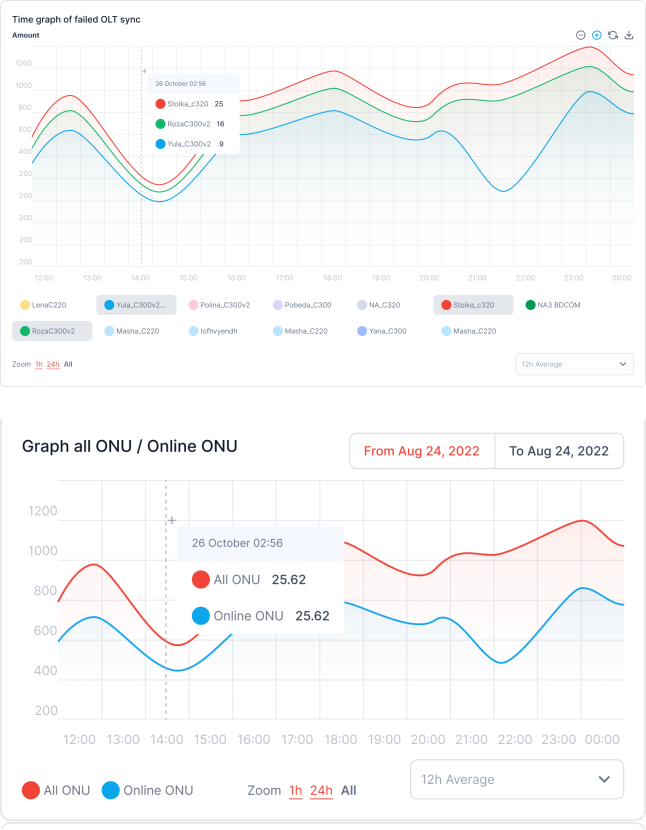
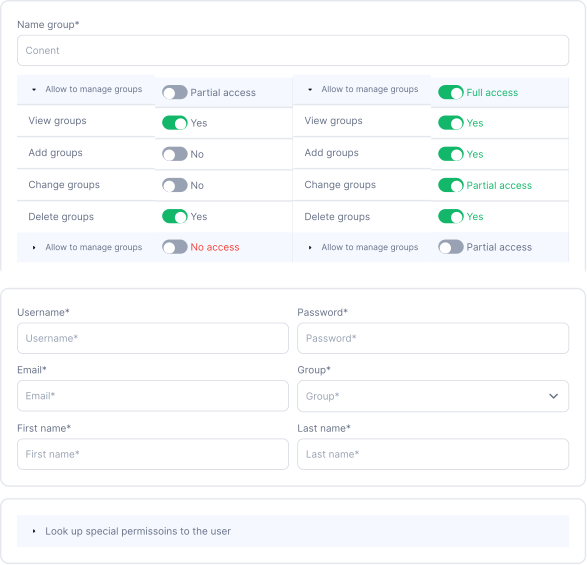
- Total UPlink graphs, port traffic, traffic and ONU measurments
- For the correct display there is a possibility to choose period, turn on or off the visibility of some information in graph.
- For every graph are counted minimal, middle and maximal meanings.
- This is a great possibility to check, compare and count the needed data.
Flexible Permissions Settings
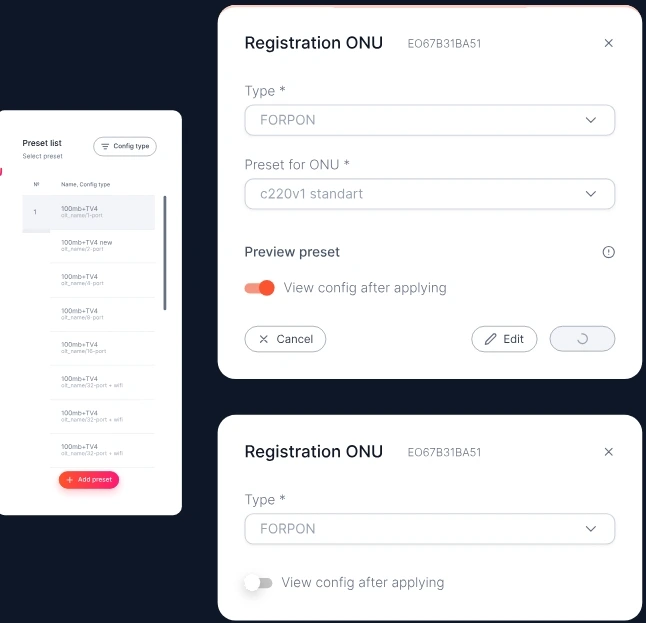
Z1N offers flexible permissions settings to ensure you have full control over access to your system. You can add new users for free and easily configure their access privileges. This can be done manually for each user, or you can utilize default permission Groups for a quicker setup.
The system also includes a 'Group permissions' configuration page. This allows you to give access to specific parts of the system to a group of people, ensuring that they have all the information they need to do their work effectively. You can tailor the permissions to fit the needs of your team, providing a seamless workflow and enhancing the overall efficiency of your network management.
ONU Provisioning
- This option allows to register ONU on the OLT.
The slot, the card and the number are determined automatically, but anyway it is possible to select the needed ONU number. - It is also possible to configure the ONU after the registration by setting necessary options.
Select the appropriate option for ONU configuration. - In case of saving, the duplicate ONU will accordingly remain in its place, and the ONU will be registered.
- When this option is selected, all duplicates of this ONU will be visible in a double ONU section.
Flexible Permissions Settings
Z1N offers flexible permissions settings to ensure you have full control over access to your system. You can add new users for free and easily configure their access privileges. This can be done manually for each user, or you can utilize default permission Groups for a quicker setup.
The system also includes a 'Group permissions' configuration page. This allows you to give access to specific parts of the system to a group of people, ensuring that they have all the information they need to do their work effectively. You can tailor the permissions to fit the needs of your team, providing a seamless workflow and enhancing the overall efficiency of your network management.

ONU configuration
Configure the ONU in 3 Clicks
Flexible Permissions
EasyPON offers flexible permissions settings to ensure you have full control over access to your system.
API and integrations
We created external API for the integrations. Added the Google SSO and more features are coming soon!
Visual Map of Network
This feature provides a visual representation of your network, making it easier to locate and control ONUs.
Monitoring Features
ONU state and characteristics review, equipment Status & Operational Indicators and more.
API and integrations
We created external API for the integrations. Added the Google SSO and more features are coming soon!